Today i will explains how to use a template parameter in joomla. In this article, We will use a Joomla 3.4 template. This articles covers only templates, so it's assumed that I already have a Joomla 3.4 website installed. This is a quick article about the use of a Template Parameter in Joomla. You can change the functionality of a template with the use of template parameters that you can set from an admin panel. Parameters are an excellent way to make your template more flexible. In the Admin panel, default templates are included in the system and can use them. By adding code into the template file, you can retrieve the current value of the parameter. In Joomla, we can configure component display functionality from the template file using the "Get" method in index.php.

Template Parameter
In Joomla! the template parameters are defined in the templateDetails.xml file. Whereas in 3.4 the parameters are defined as parts of the <params> section in Joomla, and each parameter is defined as a <params>, template parameters are contained in the <config> section and treated as a <field> nested within the <fieldset> and <fields> tags, as illustrated here.
<config>
<fields name="params">
<fieldset name="basic">
<field name="" type="" default="" label="" description="">
<option value="1">On</option>
<option value="0">Off</option>
</field>
<field name="" type="" default="" label="e" description="" />
</fieldset>
</fields>
</config>
The fieldset tag (that sets the "name" attribute to "basic") wraps the parameters in a grouping element. Using name="basic" labels that element as "Basic Options" and name="advanced" labels it as "Advanced Options". Retrieve template parameters using code such as in the following:
<?php
$this->params->get('paramName');
?>
"Params" basically can be used for get and set parameters. This is accessible for global scope. This object to the member function get() returns the parameter value given the name. Let's have a look at an example for the template parameter.
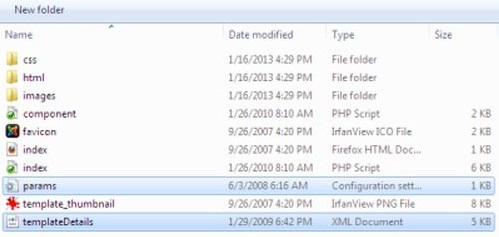
TemplateDetailes.xml
You will add a templateDetails.xml file by using this code.
NoYes
You will use a templateDetails.xml file that can contain template parameters so we can change the template.
Params.ini
Next, store the parameter in the params.ini file.
showTopbutton=1
Template File
The Template Parameters access the from in a template using the code such as:
<?php
if ($this->params->get('showTopbutton') == "true")
{
// Desire code to load top button
}
?>
Best Recommended Joomla Hosting
ASPHostPortal.com is the leading provider of Windows hosting and affordable Joomla Hosting. Joomla 3.4 Hosting from ASPHostPortal.com provides a safe, reliable and performance-driven foundation for your Joomla website. Joomla is the perfect Content Management System for managing and developing your website with one of ASPHostPortal’s Hosting plans. ASPHostPortal has ability to support the latest Microsoft and ASP.NET technology, such as: WebMatrix, WebDeploy, Visual Studio 2015, .NET 5/ASP.NET 4.5.2, ASP.NET MVC 6.0/5.2, Silverlight 6 and Visual Studio Lightswitch, ASPHostPortal guarantees the highest quality product, top security, and unshakeable reliability, carefully chose high-quality servers, networking, and infrastructure equipment to ensure the utmost reliability.