
January 15, 2015 06:00 by
 ben
benSometimes if you wanna show your PDF File on your Joomla's website.
But you don't know how to do it. You need the plugin name Enbed pdf's...
And This Article will show you how to use it.

Step 1: First of all, Download Enbed pdf's
Step 2: Go to Your Joomla Admin page, Install Plugin
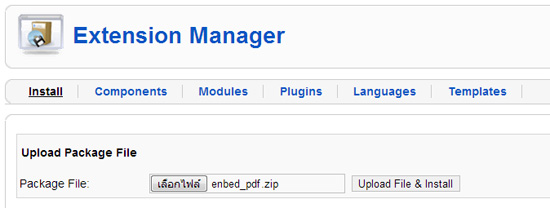
Step 3: Enable Plugin - just go to Extension=>Plugin Manager and look for Enbed pdf's then click Enable

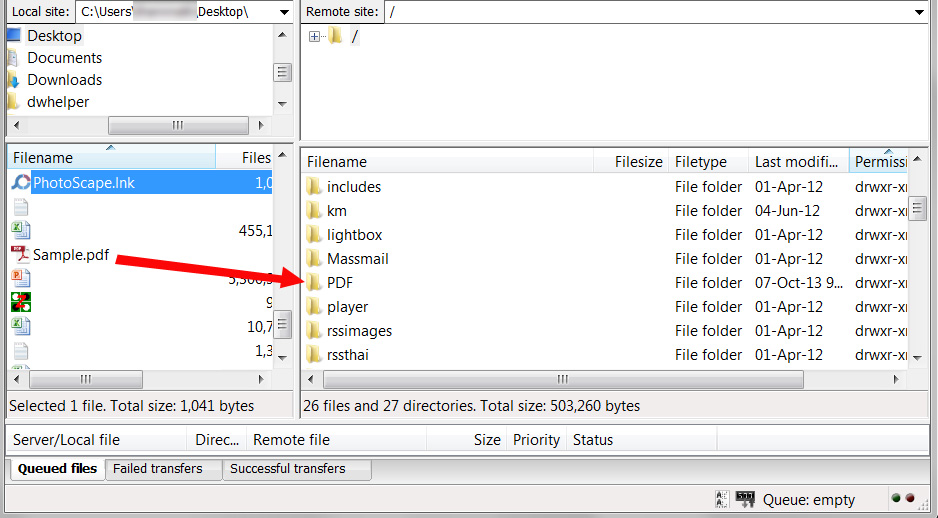
Step 4: Upload your PDF file, In this article I will upload the file Sample.pdf to the folder which namePDF
Step 5: Create New Article - Use This Code (You can specific height and width of PDF's display.)
{pdf}PDF/Sample.pdf|height:700|width:725{/pdf}
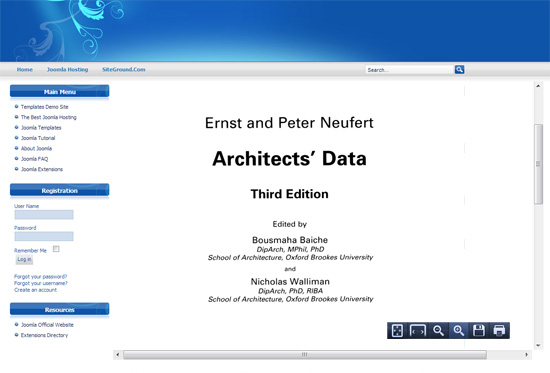
Step 5:Finish!! See the result! :)
Best Joomla Hosting Recommendation
Following reviewed for Best ASP.NET hosting companies that help with Joomla, ASPHostPortal is Best ASP.NET Hosting Recommendation for Joomla. They give 99,99% uptime assured, as well as 30 Days Money back assured, superb customer service, and many more.
08f38fab-63e5-4764-96cf-a57fc671266f|0|.0